An Ideal Estimating Software For Field Service Businesses

Zuper helps you send customizable, fast, and accurate job estimates with a few clicks, so you can get faster decisions from the client, bill instantly, and empower your field service teams to prioritize job opportunities on the go.
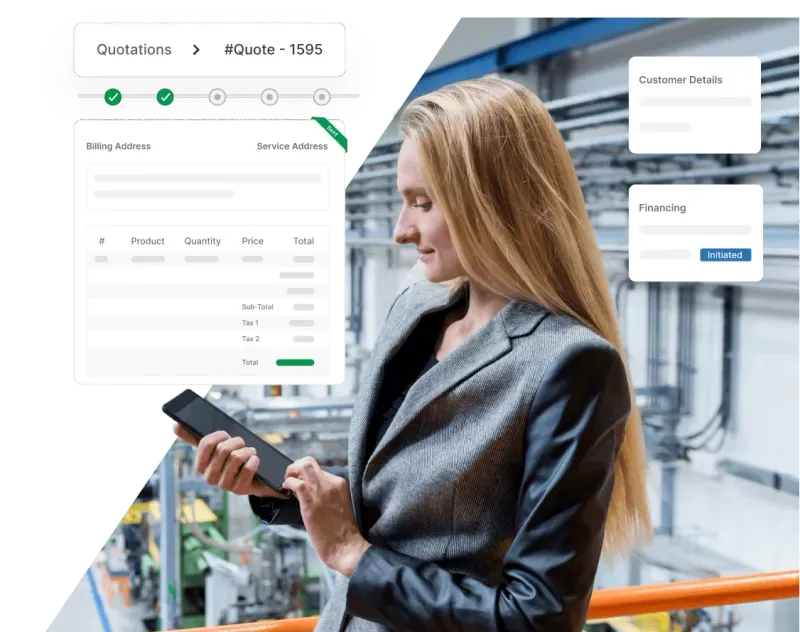
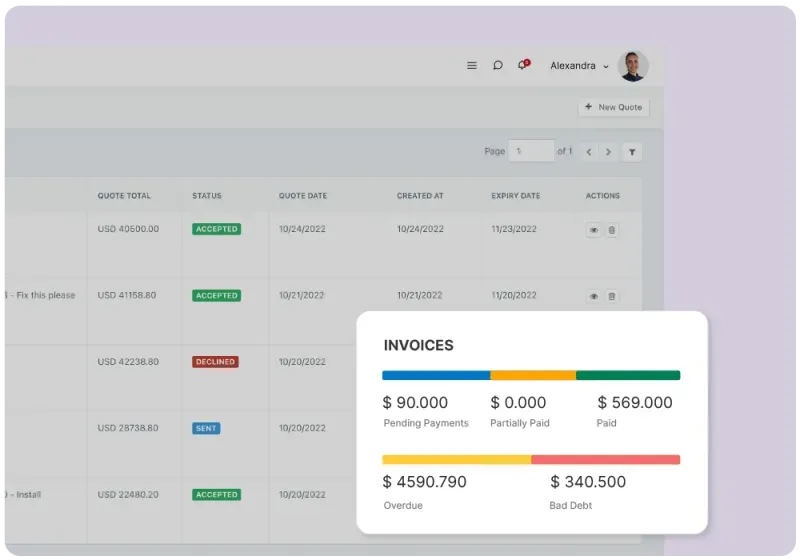
Estimating software dashboard showing job quotes and approval status

Streamline Your Workflows With Fast And Easy Estimates Management

Minimize back and forth follow-ups and enable your technicians to provide on-the-spot quotations and attach relevant files, so your customers and you are on the same page, always.

Win More Business With Configurable Estimate Templates

Enable your field teams or the back-office to create and customize estimates quickly with ready-to-use templates. Add line items, services/spare parts, and build your work estimates in minutes. Convert estimates to jobs in a click.
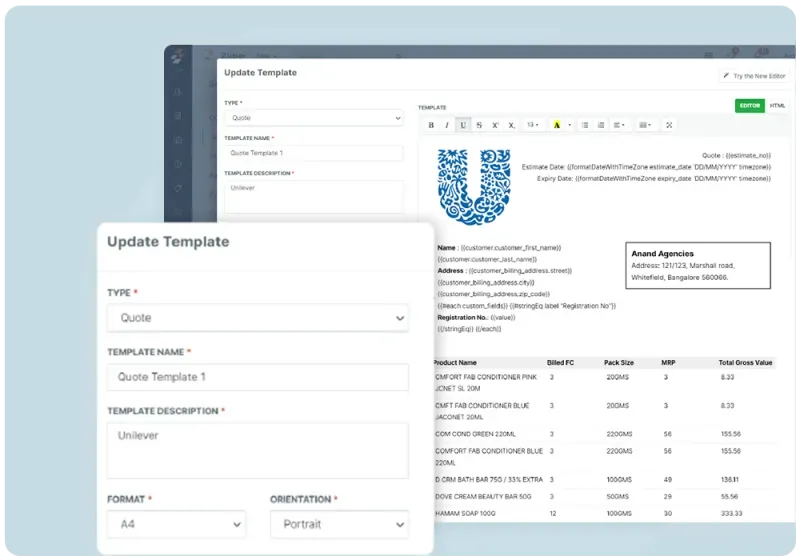
  • Add service descriptions, additional notes, contracts, or concept designs
  • Easy management with a number of pre-defined templates available
  • Prepare your quotes faster with configurable project rates, expiration dates, and labor costs
  • Customers can approve the estimates and sign them digitally, without any paper trail
Estimate creation interface with line items, labor, and parts
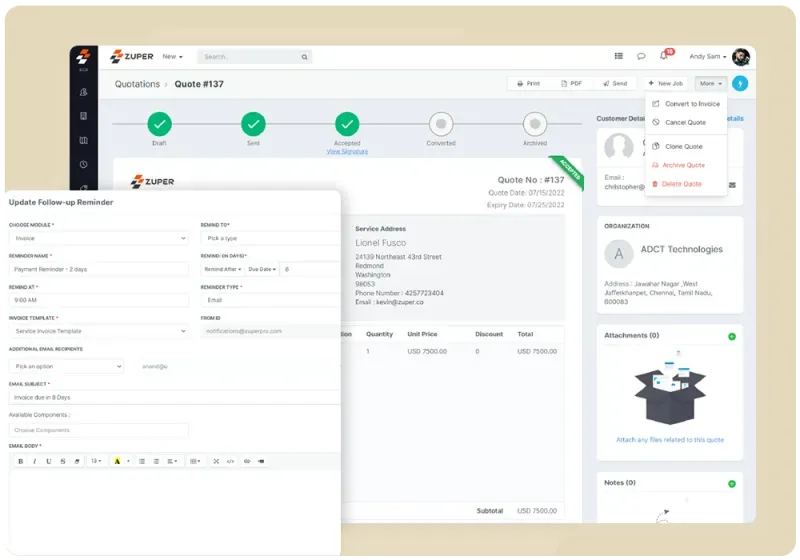
Automated follow-up timeline showing estimate reminders and approvals

Automate Your Follow-Ups Effortlessly

Convert estimates into budget easily with error-free estimating. Check the current status of all your estimates on a single dashboard so you know which ones to carry forward and which to close. Send automated email and text reminders with ease.

  • Generate an invoice instantaneously from the same quote to get paid faster.
  • Track pending estimates that are not converted into invoices yet.
  • See the revision history with different rates and timelines to make better decisions.
  • Keep the service pipeline moving by sending friendly reminders for estimates closer to expiry.
  • Save time by leveraging configurable expiration dates and down payment thresholds.

Integrate Seamlessly With Top Accounting Systems

You can now streamline and integrate your quoting, invoicing, payment collection and other accounting processes. Convert the accepted estimates into invoices with a single click. Sync generated estimates conveniently with the top account management systems like Zoho Books, Xero, and QuickBooks.
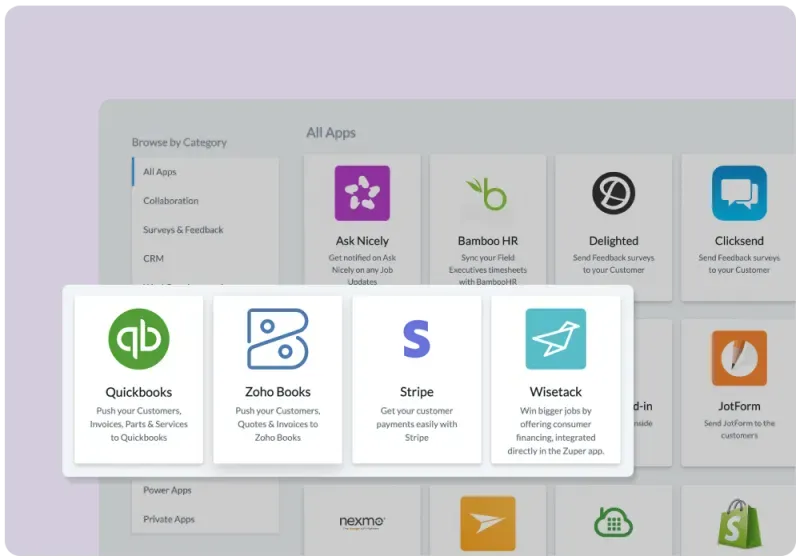
  • Focus on your business and let Zuper sync paid invoices to your accounting software and collect payments automatically
  • Get full control over revenue and cost categorization for each job
  • Drill down into the details of any job and track it for financial reconciliation
  • Manage advance payments, down payment thresholds, and expiration dates from one platform
  • Manage your items, taxes, and price lists seamlessly
Estimating software integration diagram showing connections to CRM and accounting
Automated follow-up timeline showing estimate reminders and approvals

Extract Meaningful Insights Out Of Your Estimates

See what portion of your estimates have already been approved, and what is pending, to get a clear idea about your estimating process and make informed decisions.


  • Get detailed reports on your business accounting
  • Keep track of estimates, payments, and expenses across platforms
  • Easily gather the data required to set your estimate expiration policy
  • Get a bird's eye view of customer feedback and resolve complaints quickly
  • Organize your estimating workflows proactively

Fast-Growing Service Organizations Love Zuper!

stpaulKArcherSaltPayVISail InternetPro VigilAugustaTeya

Try Zuper’s Estimating Software Today

Frequently Asked Questions

We have a custom integration which pushes Salesforce entities to Zuper as Zuper jobs.
Yes, our field service estimating software is compatible with business apps such as HubSpot, Zendesk, Zoho, Slack, SurveyMonkey, and many more.
Irrespective of your pricing plan, you can onboard and manage an unlimited number of employees in the Zuper platform. Users are grouped into teams and listed individually, with no limitation on the number of users a team can hold.
Field technicians often need to create estimates on the spot, and our automated system helps generate accurate quotes quickly. To create a new quote, click on the 'New' button in the Quick Actions dropdown, select 'Quote', and fill out the form to generate a new quote.